As an Amazon Associate, we earn from qualifying purchases. Some links on this site are affiliate links at no extra cost to you. Our recommendations are based on thorough research and editorial judgment.


Automating Pet Feeder Schedules Around Robot Vacuum Cleaning Times

Schedule your pet feeder 30-60 minutes before vacuum operation or 2-3 hours after completion, utilizing your feeder’s eight meal slots for flexibility. Use a smart hub like Home Assistant or the Whisker app to synchronize both devices, preventing stress-induced feeding disruptions and digestive issues. Implement motion sensors to pause feeding during vacuum cycles, then monitor pet activity for a full week, adjusting schedules based on behavioral patterns and consumption data. These coordinated strategies create calmer mealtimes while maintaining cleanliness—discover additional optimization techniques that address specific household dynamics.
Key Takeaways
- Schedule pet feeding 30-60 minutes before vacuum starts or 2-3 hours after completion to minimize stress and digestive disruption.
- Use the feeder’s eight meal slots to identify optimal feeding times when the vacuum is inactive throughout the day.
- Integrate your feeder and vacuum through smart hubs like Home Assistant or the Whisker app for centralized schedule management.
- Set conditional automation triggers to pause feeding during vacuum operation using motion sensors or smart home app rules.
- Monitor feeding and vacuum activity weekly via the Whisker app to identify scheduling conflicts and adjust timing accordingly.
Prevent Feeder-Vacuum Conflicts With Smart Scheduling
Prevent Feeder-Vacuum Conflicts With Smart Scheduling
Got a pet and multiple robots running around your house? Yeah, timing becomes everything. I’ve found that if your automatic feeder and robot vacuum are both doing their thing at the same time, you’re basically asking for chaos—and a kitchen covered in kibble.
You may be interested


The trick is setting up your devices so they actually work *with* each other instead of against each other. Your Feeder-Robot has motion sensors that pick up when the vacuum’s nearby. Once it detects activity, it automatically stops dispensing until the vacuum finishes its cycle. Pretty straightforward, right?
Through the Whisker app, you can schedule up to eight meals throughout the day. The real benefit here? You space them out before or after your vacuum runs. So your pet eats, gets their meal in peace, and the vacuum doesn’t show up to scatter kibble all over the floor the second it finishes cleaning.
Why does this matter? Because a consistent feeding routine keeps your pet’s digestion stable. Plus, your floors actually stay clean longer instead of getting trashed right after you vacuum.
Try this approach: Use your smart home system to sync both devices. Set your feeder for, say, 8 a.m. and 6 p.m., then schedule the vacuum for times in between or right after meals when your pet’s done eating. Honestly, once you nail this rhythm, you stop thinking about it—it just works.
The payoff is simple: your pet gets reliable meals, your vacuum does its job effectively, and you’re not stuck cleaning up the same spot twice.
Identify Feeding Times Compatible With Vacuum Cycles

Ever notice how your robot vacuum starts running right when your pet sits down to eat? Yeah, that’s not a coincidence you need to keep tolerating.
Here’s the thing—and I’m being honest here—most people just let their feeder and vacuum do their own thing without connecting the dots. But timing matters. When your pet gets interrupted mid-meal by cleaning noise, it creates unnecessary stress. Your feeding schedule and vacuum cycle don’t have to be enemies.
Try this: Map out when your vacuum actually runs. If your robot vacuum does its thing at 2 PM every day, don’t schedule meals around that time. Instead, feed your pet in the early morning or evening when the vacuum is dormant. The Feeder-Robot gives you up to eight meal slots daily, so you’ve got plenty of room to work with.
Why does this matter? Because consistency helps your pet’s digestion and keeps them calm. Stress from interrupted meals can actually affect their behavior and eating habits.
Here’s what I’ve seen work well: Use your feeder’s motion sensors to your advantage. They detect when the vacuum’s running and can pause feeding automatically if needed. Then, jump into the Whisker app to track what’s actually happening. You’ll see real completion rates and get alerts when there are conflicts between feeding time and vacuum activity.
Honestly, the best part is that this setup means your pet eats properly AND your floors stay clean—no compromise required.
Does your current routine have these two systems fighting each other? A little planning now saves your pet (and your sanity) later.
Pick a Smart Hub to Link Feeders and Vacuums
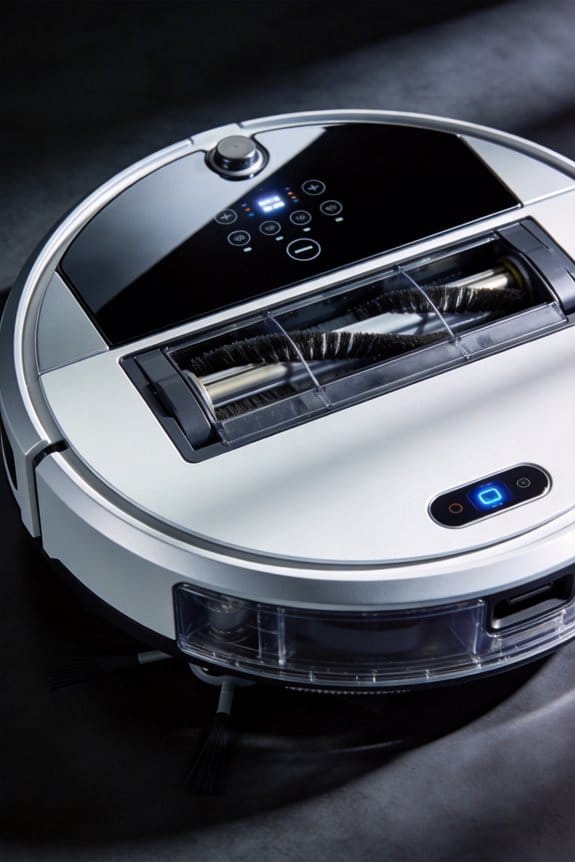
Now that you’ve aligned your feeder and vacuum timing, you need a central control system to manage both devices at once. But here’s the thing—picking the right hub can feel overwhelming when you’ve got so many options.
Home Assistant integration gives you the most flexibility if you want to link your Feeder-Robot and robot vacuum through a single dashboard. The Whisker app is another solid choice if you prefer something simpler. It syncs multiple robots without forcing you to juggle separate platforms.
Your existing smart home setup should guide your decision. Already using Alexa or Google Home? The Aqara app lets you control both devices with voice commands and set up coordinated schedules without any complicated steps. If you’re deep into Home Assistant, you’ll unlock advanced automation—like motion sensors in your feeder that automatically avoid vacuum paths. Honestly, that’s the kind of detail that prevents real scheduling headaches.
So why does this matter? Because feeding your pet during vacuum downtime isn’t just convenient—it protects your pet’s routine and keeps things running smoothly.
The best part is that device synchronization handles the hard work for you. Your feeder dispenses meals when the vacuum isn’t running, so you don’t have to think about conflicts. Just pick a hub that matches what you already own, and you’re done.
What’s your current smart home setup? That’s really the only question you need to answer to move forward.
Set Up Automation Rules to Feed Before or After Vacuum Runs
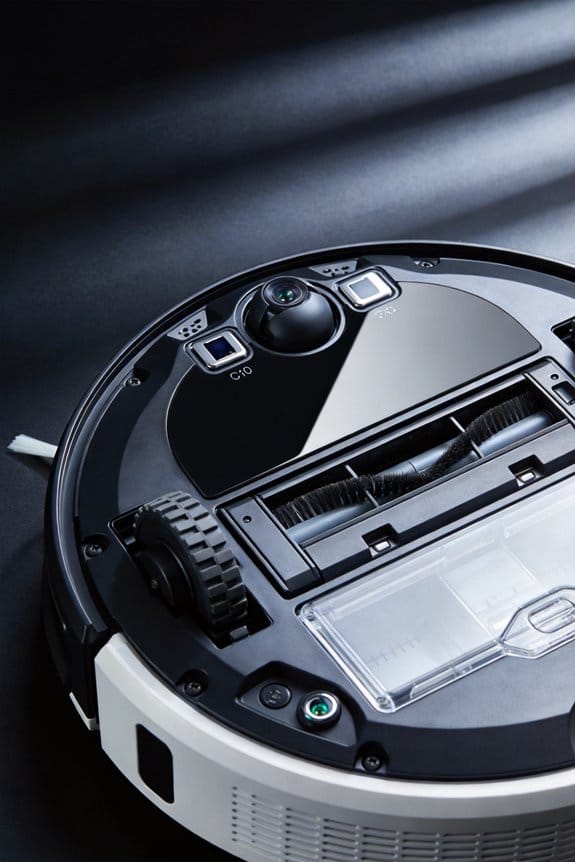
Your pet’s eating habits and your vacuum schedule don’t have to be enemies. Here’s the thing: timing matters way more than you’d think when you’ve got both an automated feeder and a robot vacuum running in the same home.
The simplest approach is to feed your pet 30-60 minutes *before* the vacuum starts up. This gives their stomach time to settle and prevents that stressed-out behavior where they either won’t eat or get anxious during the noise. If mornings work better for you, try the opposite route—feed them 2-3 hours *after* the vacuum finishes. That way, they’ve already calmed down from the disruption before food hits their bowl.
So, why does timing actually work? Your pet’s digestion and stress levels are connected. A scared dog or cat won’t digest food properly, and you might end up with behavioral issues that make your life harder.
Most smart home apps let you set conditional triggers. Look for the “feed only if vacuum completed” option in your automation settings. This prevents your feeder from dispensing while the vacuum’s running, which cuts down on missed meals and confusion.
When you’re setting portion sizes, stick with 1/2 to 3/4 cup per feeding—adjust based on your pet’s weight and how active they are. Write this down so you’re consistent.
Here’s the trick: test your setup for at least a few days. Watch your pet’s eating patterns through the app notifications. If your smart feeder has a weight sensor, check those numbers too. You’re looking for smooth, stress-free meals with no leftover food or skipped feedings.
The best part is, once you nail your pet’s rhythm, the whole system runs on its own. Your pet stays calm, eats on schedule, and your floors get clean without the drama.
Use Motion Sensors to Stop Mealtime Interruptions

Use Motion Sensors to Stop Mealtime Interruptions
Ever watch your dog jump at the vacuum while they’re trying to eat? It’s stressful for them, and honestly, it defeats the purpose of having a smart feeding routine. Motion sensors actually solve this problem in a pretty straightforward way.
Here’s how it works: Your smart feeder has motion sensors that detect when your pet walks up to their bowl. Once the sensors pick that up, the system tells your vacuum to pause. No loud machine barreling toward your pet mid-chew—problem solved.
You set a feeding window (say, 8 AM to 8:15 AM) and the motion detection kicks in during that time. The vacuum stays locked out while your pet eats. After five minutes of no movement, the system figures feeding time is done, and your vacuum gets back to its regular cleaning schedule. Truth is, it’s a simple handoff between two devices that just talk to each other.
The best part? You can see what’s happening in real time. The Whisker app shows you motion alerts and confirms when your pet actually ate and when the vacuum resumed cleaning. No guessing, no surprises.
Test and Adjust Your Schedule for a Full Week
Test and Adjust Your Schedule for a Full Week
So your motion sensors are actually picking things up, and the vacuum knows to chill during dinnertime. That’s when the real test starts—watching how everything works when your pet’s actually living their life.
Spend the next seven days paying attention to what’s really happening. Track when your pet eats and when the vacuum runs. The goal? Figure out if your furry friend can eat in peace or if there’s chaos happening because the vacuum’s roaring through at the wrong moment. The Whisker app‘s real-time alerts help here—you’ll see patterns pop up that you might miss otherwise.
Review Your Week of Data
After those seven days, sit down with what you’ve collected. Look for problem spots where the vacuum timing crashes into meal times. This is where small tweaks make a real difference.
What happens if you push feeding times and vacuum cycles further apart? Try adding 15-30 minutes of buffer space between them and see if that fixes the conflict. Honestly, most timing issues disappear once you give enough breathing room.
Make Your Adjustments
If your pet’s finishing meals in half the time you expected, it’s time to rethink portion sizes or feed more often. Modify your automation rules in Home Assistant or your feeder’s app based on what you actually observed, not what seemed logical on paper.
Then test again for three more days. Don’t just assume one adjustment worked—verify it actually holds up under real conditions before you lock it in permanently.
Monitor Your Pets’ Feeding Habits Across Devices
Honestly, most pet owners miss what’s really happening during feeding time. You glance at your pet’s bowl, assume they ate, and move on. But what if they’re skipping meals when you’re at work? What if they’re eating twice as fast as they should? That’s where tracking across multiple devices actually makes a difference.
Your feeder’s app, home automation system, and pet camera each tell part of the story. The Whisker app gives you real-time alerts and logs exactly how much your pet ate—down to 1/8 cup. That’s precise. But precision alone doesn’t tell you everything. When you cross-reference that data with weight sensor readings and motion patterns from your camera, you start seeing the full picture.
Here’s the trick: patterns emerge that you’d never catch manually. You might notice your pet skips meals when the vacuum runs, or eats faster when your schedule changes. Maybe they’re more active on some days than others. These details matter.
Consolidating everything into one dashboard through Home Assistant integration means you’re not constantly switching between apps. You can see:
- Weekly consumption compared to what you programmed
- How your pet stabilizes (most do within 3-5 days of a schedule change)
- Behavioral shifts that hint at stress or health issues
Why does this matter? Because small changes in eating habits often signal bigger problems. Catching dietary irregularities early—before they become serious—lets you talk to your vet with actual data instead of guesses. That’s how you stay ahead of health issues rather than scrambling to fix them later.
What does your pet’s typical day look like? Tracking it might reveal more than you expect.
Frequently Asked Questions
What Happens to Scheduled Feedings if My Wi-Fi Connection Drops Unexpectedly?
Your feeder won’t miss scheduled meals—it’s got anti-jam backup technology that keeps working offline. I’d recommend connectivity troubleshooting like resetting your router if feed schedule delays occur. The device stores programming locally, so it’ll resume syncing once Wi-Fi reconnects.
Can Multiple Pets With Different Dietary Needs Use the Same Smart Feeder?
Yes, I’ve found that multi-pet recognition technology makes dietary diversity totally manageable. Your smart feeder’s compatibility with different animals means I can customize portions by pet—it’s coincidentally perfect for households like mine where each pet’s needs differ considerably.
How Long Does the Feeder Backup Battery Last During Extended Power Outages?
I can tell you that the Feeder-Robot’s backup battery lasts 24 hours in power-save mode during outages. For ideal battery maintenance tips, I’d recommend regular charging cycles. Consider power outage solutions like uninterruptible power supplies for extended protection beyond that timeframe.
Which Smart Hub Brands Are Compatible With Both Feeder and Vacuum Models?
I’ve found that while Home Assistant works universally with both devices, most branded hubs like Aqara and Whisker don’t guarantee full compatibility across all feeder-vacuum combinations. You’ll want to verify Smart Home Integration specifics to avoid Compatibility Issues with your particular models.
Does the Feeder’s Motion Sensor Prevent Vacuum Collisions in Multi-Room Homes?
I’d clarify that the feeder’s motion sensors primarily monitor eating activity rather than provide collision avoidance. You’ll want to rely on your vacuum’s sensor technology for actual collision prevention in multi-room homes, though smart home scheduling can help coordinate their operating times.


