As an Amazon Associate, we earn from qualifying purchases. Some links on this site are affiliate links at no extra cost to you. Our recommendations are based on thorough research and editorial judgment.


Evaluating the Energy Consumption of High-Wattage Self-Emptying Docks

Self-emptying docks consume power in variable bursts, not steady streams. Your dock uses 2.5 watts idle, 492 watts during thirty-second dust emptying cycles, and 1,160 watts for three-minute hot water mop functions. Combined annual consumption reaches approximately 47.9 kWh, costing around $8.14 yearly. That’s higher than traditional upright vacuums at 31.2 kWh annually, though disabling unnecessary features like hot water washing can reduce expenses by 15-20%. Understanding these consumption patterns reveals optimization opportunities worth exploring.
Key Takeaways
- Self-emptying docks consume 2.5 watts idle and spike to 492 watts during dust emptying or 1160 watts for hot water mop washing.
- Robot vacuum systems with docks use approximately 47.9 kWh annually, costing around $8.14 per year in electricity expenses.
- Docks operate in short, intense power surges rather than steady draws, unlike traditional upright vacuums consuming 31.2 kWh annually.
- Disabling unnecessary features like hot water mop washing and scheduling cleaning during off-peak hours can reduce dock energy costs by 15-20%.
- Monitoring usage patterns and gradually implementing energy-saving adjustments helps identify optimization opportunities and lower overall household electricity expenses.
How Much Power Does a Self-Emptying Dock Actually Use?
How Much Power Does a Self-Emptying Dock Actually Use?
You’re probably wondering if that convenient self-emptying dock is quietly draining your wallet every month. The answer depends on what your robot is actually doing at any given moment.
You may be interested

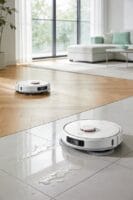
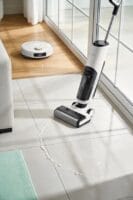
When your dock just sits there waiting for the next cleaning cycle, it’s sipping power like a phone on standby. We’re talking about 2.5 watts during idle mode, which adds up to roughly 21.9 kilowatt-hours per year. That’s honestly pretty efficient—the dock is just doing a few battery checks here and there to keep everything ready to go.
Now, here’s where things get interesting. The moment your robot starts using the dock’s active features, the power draw jumps significantly:
Dust emptying pulls about 492 watts, but it only runs for around 30 seconds per cycle. Hot water mop washing is thirstier, hitting 1160 watts during its three-minute cycles. These high-power bursts don’t happen constantly, but they definitely add up over time.
So, why does this matter? If you’re running daily mopping cycles with hot water, you’re looking at way more electricity consumption than someone who just uses dust emptying occasionally. Frankly, the difference can be noticeable on your power bill.
Try this: schedule your hot water mop cycles during off-peak hours if your utility company offers lower rates at certain times. Even shifting when you run these cycles can trim your costs without sacrificing a clean home. The best part is, you don’t have to sacrifice convenience—just be a little strategic about timing.
Understanding your dock’s actual power needs puts you in control. What cleaning features do you rely on most?
Why Self-Emptying Docks Draw More Power Than the Robot

Why Self-Emptying Docks Draw More Power Than the Robot
Ever wonder why your electric bill seems to spike when you set up a robot vacuum with a self-emptying dock? There’s a real reason for it, and it has to do with what’s actually happening inside that dock.
Your dock is basically a mini powerhouse. It’s packed with multiple high-powered motors and heating systems that demand way more electricity than your robot vacuum ever will during a regular cleaning cycle. Think of it this way: your robot uses just 30-100 watts while it’s running around your floors. That’s pretty efficient.
Now compare that to what the dock does:
- The dust-emptying motor alone pulls 492 watts—but only for about thirty seconds per cycle
- Hot water mop washing runs at 1160 watts for three minutes straight
- These aren’t constant drains; they’re intense, concentrated bursts of power
So why does this matter? Your dock’s operations—emptying debris, heating water, sanitizing—all happen in short, powerful surges rather than steady low-level consumption. Your robot’s doing a marathon at a slow jog; your dock’s doing sprints.
Honestly, it’s the difference between steady usage and peak demand. Your robot will never match the dock’s power draw during those active cycles because it’s simply not designed to. The dock handles all the heavy-lifting maintenance work that keeps your whole system running smoothly.
Once you understand this distinction, you’ll have a much clearer picture of what’s actually eating up your electricity.
Docks vs. Traditional Vacuums: Real Energy Costs

Docks vs. Traditional Vacuums: Real Energy Costs
So you’re standing in the appliance aisle trying to figure out whether to drop money on a self-emptying robot vacuum or stick with a traditional upright. The question most people ask first? Which one’s going to cost me less on my electric bill?
The numbers might surprise you. Robot vacuum systems with self-emptying docks pull about 47.9 kWh per year, which breaks down to roughly $8.14 annually. A traditional upright vacuum? It uses 31.2 kWh for the same cleaning frequency—about $5.30 per year. On the surface, uprights look cheaper. But here’s where it gets interesting.
The real story isn’t just about yearly totals. Think about how these machines actually work. Your robot runs for hours at a time with super low wattage, chugging along quietly in the background. An upright vacuum? You’re cranking it for 30 to 60 minutes per session, and these things pull 500 to 1500 watts while you’re using them. That’s a massive difference in how much power gets consumed during active cleaning.
Try this: compare the actual power draw. Your robot uses about fifteen times less electricity when it’s actively vacuuming compared to an upright. That matters if you’re thinking long-term.
Frankly, though, energy costs won’t make or break your decision. The annual difference between these two options is minimal—we’re talking just a few dollars either way. What you’re really paying for with a robot dock system is convenience: not having to vacuum yourself, not hauling out equipment, not storing a bulky machine. The electricity bill stays pretty small no matter which route you choose.
What You’ll Actually Pay to Run a Smart Dock Annually

So you’re wondering if a smart dock is going to drain your wallet every month? The good news is that it won’t. Let me walk you through what you’ll actually be spending.
The annual cost really comes down to two things: how often you use it and what your local power company charges. Take the Dreame X50 Ultra—it’ll run you about $8.14 a year, pulling roughly 47.9 kWh of electricity annually. The Narwal Freo Z Ultra operates about two hours daily and uses 47.45 kWh per year, landing it in basically the same ballpark cost-wise. We’re talking under $10 annually for either one.
Here’s what throws people off: those high-power functions seem intense. The dock’s dust-emptying feature hits 492W for just thirty seconds, and the hot water washing cranks up to 1160W for three minutes. When you see those numbers, you might think they’re eating up your electricity budget. But here’s the trick—they don’t happen often enough to matter much on your bill.
The real culprit is something way less dramatic: standby power. Your dock sits there using about 2.5W continuously, just waiting to do its job. That constant, low-level draw actually adds up to $2-3 every year depending on your local rates. So why does this matter? Because it shows that the biggest cost isn’t the flashy cleaning cycles—it’s the always-on stuff humming in the background.
Honestly, if you’re already running a smart home, your dock’s annual expense is basically pocket change. It costs less than a couple of coffee runs to keep it operational for a full year.
Simple Ways to Cut Your Dock’s Energy Use
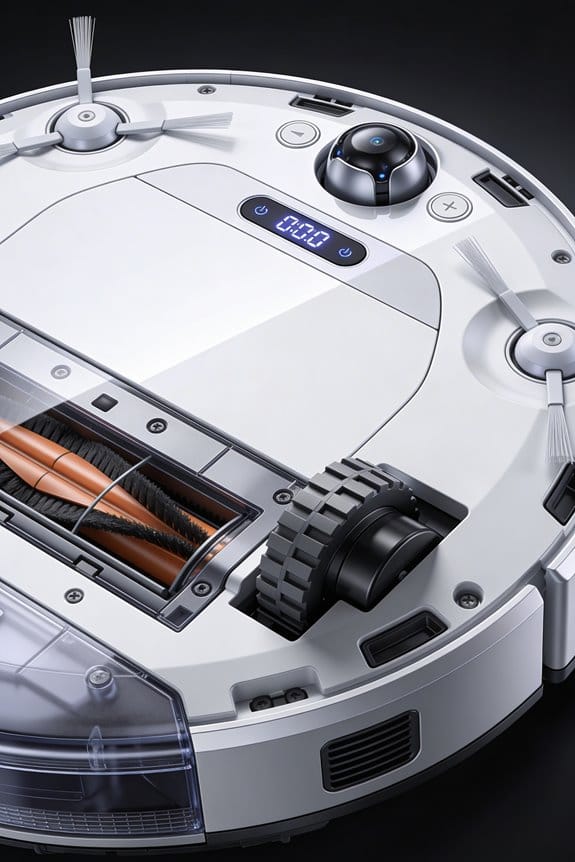
Your dock’s electricity bill might seem pretty low—we’re talking under $10 a year—but that doesn’t mean you can’t trim it down even further. A few tweaks to how you use it could shave off another 15-20% without any real hassle.
Start with timing. Run your cleaning cycles when electricity rates drop during off-peak hours. It’s one of those simple moves that doesn’t cost you anything but saves you money.
Why does this matter? Because the small changes add up. Disabling hot water mop washing when you don’t actually need it cuts out a 1160W drain that’s happening for no reason. If you’re just doing a quick sweep, skip the hot water feature altogether.
Here’s the trick: dig into your dock’s settings and clear out redundant battery checks. They’re just sitting there, dripping power for tasks that don’t help your cleaning performance at all.
When it comes to the actual cleaning, pick a mode that matches your floor type. You’re not trying to deep-clean tile when you’ve got hardwood—that just wastes time and energy. The right mode for the job means less runtime and lower consumption overall.
The dust bin situation is probably the easiest win here. Empty it manually now and then instead of relying on the automatic 492W emptying function every single time. You’ll be surprised how much energy that high-powered cycle uses.
Honestly, you don’t have to do all of these at once. Pick one or two that fit your routine, get comfortable with them, and add more later. What’s one adjustment you think you’d actually stick with?
Frequently Asked Questions
Do Hot Water Mop Washing Cycles Significantly Increase Annual Energy Costs Compared to Dust Emptying?
Like comparing a sprinter to a marathoner, hot water mop washing’s brief energy bursts pack more punch than dust emptying. I’d say the mop’s 1160W intensity overwhelms the 492W dust cycle, though both remain negligible for your annual energy comparison and mop efficiency gains.
Can Scheduling Dock Functions During Off-Peak Hours Reduce Overall Electricity Expenses?
I’d say yes, you can save money through smart scheduling. By running your dock’s high-wattage functions—like hot water washing—during off-peak hours when electricity rates drop, you’ll reduce your overall expenses considerably without changing your cleaning routine.
How Does Battery Capacity Size Affect the Total Energy Consumption of Self-Emptying Systems?
I’ll tell you: larger battery capacity means you’re charging less frequently, which reduces your overall energy consumption. You’ll notice better battery longevity and energy optimization when you invest in higher-capacity systems—they’re genuinely more efficient long-term.
Are There Differences in Energy Efficiency Between Various Self-Emptying Dock Brands and Models?
You might think all self-emptying docks consume similar energy, but they don’t. I’ve found brand comparisons reveal significant differences—the Dreame X50 Ultra uses 47.9 kWh yearly while the Narwal Freo X Ultra uses just 23.725 kWh. Model performance varies considerably based on dock wattage and cycle frequency.
What Impact Do Sensors and Mapping Features Have on the Dock’s Power Draw?
I’ve found that sensor technology and mapping algorithms add minimal power draw to your dock’s overall consumption. These features primarily run on the vacuum itself, not the base station, so they won’t greatly impact your energy bills or the dock’s standby power usage.


