As an Amazon Associate, we earn from qualifying purchases. Some links on this site are affiliate links at no extra cost to you. Our recommendations are based on thorough research and editorial judgment.


Geofencing for Cleaning: Ensuring the Vacuum Runs Only When the House Is Empty

Geofencing automates your vacuum by triggering cleaning cycles when all household members leave a defined boundary—typically 500 to 1,000 feet around your home. You’ll enable location services through your vacuum’s app, then create a circular geofence and schedule specific cleaning times. Compatible models include Tapo, iRobot, and Ecovacs vacuums. However, weather conditions and building structures can reduce GPS accuracy by up to 30%, potentially causing false triggers. Strategic troubleshooting, like repositioning your smart hub near windows and adjusting geofence radius, enhances reliability considerably for consistent automation.
Key Takeaways
- Enable location services for all household members and set geofence radius to 500-1000 feet around your home for reliable automation.
- Configure departure-triggered cleaning rules so the vacuum starts automatically once every family member exits the defined geofence boundary.
- Schedule specific cleaning time windows by day of week to align with your household’s actual routines and prevent conflicts.
- Test geofence effectiveness by walking the perimeter to identify GPS dead zones caused by buildings, metal structures, or interference.
- Adjust geofence radius and reposition your smart home hub near windows if experiencing false triggers or missed cleaning activations.
How Geofencing Automates Your Vacuum
How Geofencing Automates Your Vacuum
Tired of coming home to a messy floor or remembering you forgot to start the vacuum before leaving? Geofencing might be the solution you didn’t know you needed.
You may be interested

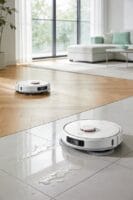
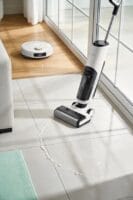
Here’s how it works: When you and everyone in your household leave your home, geofencing technology detects it automatically. Your smartphone’s location triggers the system—using GPS, Wi-Fi, and Bluetooth signals—and your robot vacuum springs to life within seconds. No app tapping required.
The setup is pretty straightforward. You’ll define a geofence around your home, typically a 500-foot radius, through your vacuum’s app. Your phone acts as the sensor. Once all household members cross that boundary, the cleaning starts.
Why does this actually matter? You get clean floors without thinking about it. Your vacuum only runs when nobody’s home, which saves battery and means you’re not dealing with a loud machine while you’re trying to work or relax.
The best part is how it integrates with what you’ve already got. If you’re using Amazon Alexa, Google Home, or Tapo, geofencing connects right in. Everything talks to each other, and your vacuum becomes part of your larger smart home setup.
You’ll get notifications on your phone when the system detects you’ve left. Honestly, this gives you peace of mind—you can verify that your house is actually empty before cleaning begins, which matters if you’ve got kids or pets.
When you return home, your vacuum docks itself automatically. Your floors stay clean throughout your absence, and there’s zero manual work on your end.
Set Up Geofencing in 5 Steps

Set Up Geofencing in 5 Steps
Tired of coming home to a vacuum that’s been running all day, draining battery for nothing? Geofencing fixes that. The good news? You don’t need to be tech-savvy to set it up.
Start with the app and location services. Download your vacuum’s app first, then turn on location services for everyone in your household. This is the foundation everything else builds on, so don’t skip it.
Define your geofence radius next. You’ll want to draw a circular boundary around your home—usually somewhere between 500 and 1000 feet, depending on how accurate GPS works in your neighborhood. Think of it like an invisible bubble that tells your vacuum when you’re leaving and coming back.
Set up your cleaning schedule. This is where it gets practical. Pick specific days and times that make sense—like weekday mornings before work. You can adjust this later if it doesn’t fit your routine.
Now comes the tracking and automation part. Configure your mobile tracking preferences and create departure-triggered cleaning rules so the vacuum starts when the last person leaves. Then turn on notifications so you get a heads-up before it actually starts running.
Finally, test everything out. Walk around the edge of your geofence to spot any GPS dead zones—especially near large buildings, metal structures, or thick vegetation that might mess with the signal. Honestly, this step saves you from a lot of frustration later.
Why does testing matter? Because a geofence that works 80% of the time is worse than no geofence at all. Give it a week of real-world use. Is it responding the way you expected?
Smart Vacuums That Support Geofencing

Tired of coming home to dust bunnies? What if your vacuum could just… know when you’ve left the house and start cleaning on its own?
That’s where geofencing comes in. It’s basically your phone’s location telling your vacuum when to do its job. Pretty handy if you ask me.
Several robot vacuum brands now have this built in. Tapo vacuums put geofencing right in their app—no extra setup needed. iRobot models work with compatible smart home systems if you’re already invested in that ecosystem. Ecovacs lets you draw geofence boundaries, and the vacuum springs to life once the last person leaves. Amazon-compatible vacuums hook into Alexa routines for the same effect. Even Eufy Security systems can coordinate geofencing across multiple appliances, so your whole home switches into away mode together.
Here’s the thing though: not all of these work the same way. Some require an extra hub sitting in your house. Others run completely through their own app. Before you buy, check if the brand plays nice with your phone (iPhone or Android matters). Also look into whether it tracks your location in real-time or just checks periodically.
So, why does setup complexity matter? Because honestly, if it’s a pain to configure, you’ll probably never use it. Take a few minutes to compare how different brands handle the process. The easier option now saves you frustration later.
Pick a vacuum that fits your setup, not the other way around. Once you find the right match, you’ll actually look forward to coming home to a clean floor.
How Weather and Walls Degrade Geofencing Accuracy

How Weather and Walls Degrade Geofencing Accuracy
So you’ve found a vacuum with decent geofencing—great. But here’s what nobody tells you: the real problems start after you set it up. Weather messes with your vacuum’s ability to know where it actually is. Rain, snow, and wind can cut your GPS accuracy by up to 30 percent. When heavy clouds roll in, your vacuum’s positioning drops from that crisp 10-foot radius down to a fuzzy 50-foot zone.
That’s where things get frustrating.
Buildings and large metal objects create dead zones where your phone just loses the signal completely. Concrete walls, steel beams, and dense urban neighborhoods are basically kryptonite for GPS. I’ve found that even a few layers of brick can throw off location tracking more than you’d expect. Add Wi-Fi and Bluetooth interference from your neighbors’ networks on top of that, and you’re looking at false exits and entries—your vacuum thinks you’ve left when you haven’t, so it starts cleaning while you’re sitting on the couch.
Why does this matter? Because those unwanted cleaning cycles drain your battery and wear out your machine faster than necessary.
The best approach is realistic expectations. If you live in a concrete apartment building or a place with spotty weather, a geofencing vacuum might frustrate you. Test it in your space before fully committing, especially if you’re in an area with lots of signal interference. Your vacuum works best when it actually knows where “home” is.
Fix Common Geofencing Failures

Is your smart home constantly missing geofence triggers? Yeah, that’s frustrating. The good news is you don’t need to tear everything apart to fix it.
Start with your hub’s location. Move your smart home hub closer to a window where it can see the sky. This alone can boost GPS signal by up to 40%. I’ve found that people stick their hubs in closets or basements and then wonder why nothing works. It’s a simple fix that makes a real difference.
Next, look at what’s interfering with your signal. Microwaves and cordless phones running on 2.4GHz frequencies are notorious for causing problems. Try moving your Wi-Fi router away from these devices—sometimes even a few feet helps. Think about it: why would you want your router sitting right next to something that’s constantly broadcasting noise?
Test your geofence radius to find the weak spots.
Walk the perimeter of your geofence using your smartphone and note exactly where detection fails. Most geofences are set between 100 and 500 feet, so you’ll get a sense pretty quickly of whether you’re too close or too far. This hands-on test beats guessing any day.
Frankly, a lot of people overlook the basics: make sure location services are actually turned on for everyone in your household at the same time. If one person’s phone doesn’t have it enabled, you’re going to get incomplete triggers. It sounds obvious, but I’ve seen this cause more missed automations than anything else.
If you’re still having trouble after these steps, expand your geofence radius gradually and consider upgrading to a dual-band Wi-Fi router that supports 5GHz. The stronger connection usually makes geofencing way more reliable.
What’s your biggest geofencing headache right now—is it the radius, the signal, or something else entirely?
Schedule Geofencing Rules by Day and Time
Schedule Geofencing Rules by Day and Time
Ever notice how your robot vacuum runs at the worst times? Maybe it’s spinning around while you’re still home, or it’s sitting idle when the house is empty. That’s what happens when you rely on one-size-fits-all automation instead of actually matching your robot to how your family lives.
Scheduling geofencing rules by day and time fixes this. Your cleaning needs genuinely change throughout the week—weekday mornings look nothing like Saturday afternoons. When you set rules based on when people actually leave and come home, your vacuum works *with* your routine instead of against it.
Here’s the practical side: You can program weekday morning cleanings for that window between 8:00 and 9:00 a.m. when everyone heads out to work or school. But on weekends? Disable automation altogether or set it to only trigger once all household members have left the geofence simultaneously. This prevents those awkward moments when someone’s still home or heading back inside.
The best part is, most apps let you set multiple time windows per day. So if you’re consistently away on Tuesday and Thursday afternoons, you can target exactly those slots. This beats generic defaults every time because it’s *your* actual schedule, not some preset guess.
Why does this matter? You’re cutting energy costs while still keeping floors clean when it counts most. That’s efficiency that actually works.
Frequently Asked Questions
Can Geofencing Work if Not All Household Members Have the App Installed?
I’d say geofencing won’t work reliably if not all household members have the app installed. You’ll face household coordination issues and app limitations—the system can’t detect everyone’s location, so it might start cleaning while someone’s still home.
What’s the Ideal Geofence Radius to Prevent False Triggers Around Home?
I’d recommend setting your ideal radius between 100-500 feet to balance geofence sensitivity with accuracy. This range prevents false triggers from nearby streets while ensuring reliable detection when you’re genuinely away. You’ll want to test and adjust based on your specific location’s signal strength.
Does Geofencing Drain Phone Battery Faster Than Normal Location Tracking?
I’ll tell you that geofencing does consume more battery than standard location tracking because it continuously monitors your geofencing accuracy. However, I’ve found the drain is minimal if you’re already using location services regularly for other apps.
Can Geofencing Detect When Guests Leave to Avoid Unwanted Vacuuming?
I’ll tell you it’s practically impossible: geofencing can’t inherently distinguish guests from residents. You’d need manual intervention or connectivity issues would plague guest detection. I’d recommend setting “Ask Before Cleaning” confirmations instead for foolproof control.
How Do I Prevent Vacuum From Running During Unexpected Home Arrivals?
I’d prevent unwanted vacuuming by adjusting your vacuum scheduling rules and enabling notification settings that alert you before cleaning starts. This lets you confirm home arrival and manually pause the vacuum if needed, ensuring it won’t run during unexpected returns.


