As an Amazon Associate, we earn from qualifying purchases. Some links on this site are affiliate links at no extra cost to you. Our recommendations are based on thorough research and editorial judgment.


Open-Source Robot Vacuum Firmware: The Push for Valetudo and Privacy

Your robot vacuum transmits detailed home maps, cleaning schedules, and behavioral data to manufacturer servers, enabling third-party access and consumer profiling. Valetudo, open-source firmware, eliminates this by running entirely on your local network, keeping sensitive information private without internet reliance. Installation requires a 3.3v USB UART adapter and likely voids your warranty, but grants you complete data control, instant command execution, and smart home integration capabilities. Understanding your specific model’s compatibility requirements proves essential before proceeding with installation.
Key Takeaways
- Valetudo keeps robot vacuum mapping and cleaning data local, preventing manufacturers from building behavioral profiles on cloud servers.
- Local processing eliminates internet delays, enabling instant command execution while maintaining all intelligent vacuum features without cloud reliance.
- Users can integrate Valetudo vacuums with Home Assistant or Node-RED for custom automation without sacrificing privacy or internet connectivity.
- Dreame vacuums are most compatible with Valetudo, requiring a 3.3v USB UART adapter and minimal disassembly for rooting.
- Rooting voids manufacturer warranties, so users must verify model compatibility and firmware versions before installing open-source firmware.
Why Your Robot Vacuum’s Cloud Connection Costs You Privacy
Why Your Robot Vacuum‘s Cloud Connection Costs You Privacy
Ever wonder what happens to all that data your robot vacuum collects while it’s mapping your home? Most people don’t think twice about it—they just want a clean floor and the convenience of controlling their vacuum from their phone. But there’s a privacy cost most of us aren’t considering.
You may be interested


When you connect your vacuum to the manufacturer’s cloud servers, detailed information about your household gets transmitted to third parties. We’re talking about your home’s layout, when you typically clean, which rooms you use most, and your daily movement patterns. Frankly, that’s a lot of intimate information about how you actually live. Manufacturers can use this data to build behavioral profiles or sell it to data brokers—all happening quietly in the background while you’re just trying to keep your floors clean.
So, why does this matter? Because once that data leaves your home, you lose control over it. You don’t know exactly who sees it, how long it’s stored, or what it might be used for down the road.
There’s a better option: keep everything local. Instead of relying on cloud servers, you can run your vacuum entirely on your home network. Valetudo is one tool that does this—it intercepts those cloud requests and handles everything right there on your device. Your mapping data stays on your vacuum. Your cleaning history stays private. Your usage patterns never leave your home.
Honestly, the best part is you don’t sacrifice any functionality. Your vacuum still works exactly the same way. You get convenience without broadcasting your life to strangers. That’s the kind of trade-off worth making.
What Valetudo Does: Cloud-Free Firmware for Local Control

Tired of your vacuum sending data to some company server thousands of miles away? Valetudo fixes that problem by putting control back in your hands—literally on your home network.
Instead of your robot constantly phoning home to make decisions, Valetudo replaces that cloud layer with local smarts. Everything runs on your vacuum itself. Commands like start, pause, zone cleaning, and suction tweaks happen instantly on your network without any internet detour. No lag, no waiting for servers to respond, no dependency on whether the company’s service is up today.
The best part is you’re not sacrificing anything. Your vacuum still maps your home, schedules cleaning runs, and integrates with your smart home setup. The only difference? Your data stays put instead of getting uploaded to vendor servers.
So, why does this matter? Because you actually own your device. You control it. Not some algorithm on the other side of the internet. Mapping runs happen on your robot. Scheduling decisions happen locally. Your home layout never leaves your house.
Frankly, this isn’t theoretical. Thousands of users have been running Valetudo since 2018 with zero issues. It’s stable, it works, and you set it up once and forget about it. The web interface loads right from your robot’s IP address—just type it into your browser and you’re done.
If you’ve ever felt uncomfortable with how much data smart devices collect, this actually works. Cloud-free doesn’t mean feature-poor. It means your vacuum does its job without the surveillance layer.
Recommended Products

25,000 Pa HyperSuction & Upgraded Mopping System: Powerful 25,000 Pa suction paired with a dual anti-tangle system effortlessly removes embedded debris, dust, and pet hair while eliminating hair tangles. The upgraded mopping system with 8N downward pressure tackles tough dried stains, and its fast-absorbing design leaves minimal water for quick drying, making it safe and gentle on hardwood floors.

HIGH SUCTION POWER & HYPERSONIC MOPPING: Brings the elbow grease with an all-new targeted cleaning pattern that delivers 7x* the scrubbing power (*vs. Shark RV2820ZE), while powerful vacuuming lifts dirt, debris, and hair from carpets and hard floors.

Hands-Free Floor Care, Smarter Every Day: Meet the most advanced robot for large homes. X11 combines PowerBoost GaN fast charging, self-washing roller mops, bagless auto-emptying, and the YIKO Agent that learns your habits to clean smarter—so you never lift a finger.
How Valetudo Keeps Your Data Private Without Internet

Ever thought about where your vacuum’s data actually goes? Most robot vacuums send mapping data, cleaning schedules, and usage patterns straight to the manufacturer’s servers. That means details about your home layout and daily routines are sitting on cloud infrastructure you’ve got no say in. Not exactly comforting, right?
Valetudo changes that equation by intercepting those cloud requests and handling everything locally instead. Your robot’s web interface runs entirely on your home network—no external transmissions, no third-party servers involved. It’s like keeping your vacuum’s brain completely offline while it still does its job.
Why does this matter? Because speed and privacy go hand-in-hand here. Commands execute faster since data never leaves your house—we’re talking milliseconds instead of seconds. You get rid of the lag that comes with cloud roundtrips, and your sensitive information stays put.
The firmware blocks those vendor cloud connections completely while keeping your robot fully functional. Scheduling still works. Mapping still works. Status reports still work. The only difference is everything happens on *your* network, under *your* control.
Honestly, this also opens up real automation possibilities. You can integrate your vacuum with the rest of your smart home without needing internet as a middleman. No internet-dependent dashboards. No waiting for cloud services to come back online.
Here’s the bottom line: floor plans, cleaning patterns, and usage data belong to you. With Valetudo, that’s not just a promise—it’s the actual setup. The privacy part isn’t delegated to a vendor crossing their fingers; it’s baked into how the system works.
What’s stopping you from taking that control back?
Recommended Products

25,000Pa Powerful Suction – Smarter, Deeper Cleaning: Freo Z10 Turbo robot vacuum cleaner removes fine dust, debris, and pet hair with high-powered suction, while intelligent sensors adjust cleaning in real time to helps reduce dirt spread during cleaning and ensure every pass is more effective.

3-in-1 Robot Vacuum, Vacuums, Sweeps, and Mops in One Pass: Experience a new level of clean with 11500Pa of ultra-strong suction powerful enough to lift embedded pet hair, crumbs, and debris from both carpets and hard floors. The integrated 230ml water tank and 240ml dustbin work simultaneously to tackle dry and wet messes, ensuring a thorough clean across your entire home without switching modes

Powerful Suction & Quiet Clean – Boasts 6000Pa ultra-strong suction to lift embedded dirt and stubborn pet hair in one pass, with 4 optional suction modes for daily and deep cleaning. Operating at ≤64dB, quieter than daily talk, it cleans gently without disturbing kids and pets for a peaceful tidy home.
Which Robots Work and How to Root Yours

So you’ve learned how Valetudo keeps your data on your device instead of sending it to some company server. Now comes the real question: will it actually work on your vacuum?
Dreame vacuums are your best bet for getting this done. The catch? The rooting process changes depending on which firmware version your specific model is running. You’ll need a 3.3v USB UART adapter, and for some models, a Dreame Breakout PCB to physically access the right parts. The actual steps involve getting your vacuum into fastboot or FL mode, then using SSH to install a rooted version of the software.
Here’s the good news: you probably won’t need to take your vacuum apart very much. Most of the time, you can do this without breaking any warranty seals. Once you’ve rooted it, the local web interface shows up right away on your robot. If you ever do a factory reset after rooting, the device automatically recreates the files it needs to run properly—and it’ll work fine without any cloud connection or internet at all.
Why does this matter? Because your vacuum becomes genuinely yours instead of a device that’s checking in with a company every time it runs.
Recommended Products
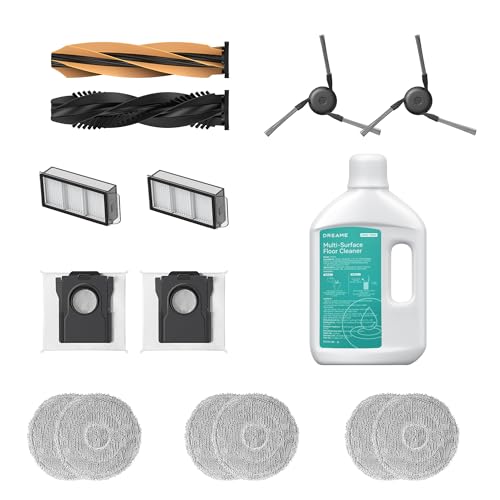
Accesory Kit Includes: Detangling DuoBrush*1, Side Brush*2, Dust Box Filter*2, Dust Collection Bag*2, Cleaning Solution*1, Mop Pad*6

Side Brushes to Sweep Clean: The 3-armed side brushes clean up the dust in corners and concentrates the dust and debris toward the suction port during rotation, making cleaning more effective and thorough.

The wide needle spacing of this product is 12mm
Check Compatibility and Warranty Before You Install

So you found a UART adapter and you’re ready to root your vacuum? Hold up. Before you dive in, you need to make absolutely sure your specific model actually works with Valetudo. The truth is, rooting requirements are all over the place depending on which manufacturer made your robot and what firmware version it’s running.
Start by hitting that official compatibility list. Find your exact robot model and check what firmware version you’ve got right now—you can usually dig this up in the settings menu. Why does this matter? Installing the wrong software on the wrong model can brick your vacuum faster than you can say “that was expensive.”
Now let’s talk about the warranty situation, because this part stings. Rooting your vacuum will almost certainly void your manufacturer’s warranty completely. That means if something breaks, you’re paying for repairs out of your own pocket. Some people think they can get away with it because certain models don’t show obvious signs of tampering during installation, but honestly? The manufacturer can detect rooting anyway, and legally speaking, your warranty is gone regardless.
Before you touch anything:
- Take screenshots of your current device settings and configuration
- Write down your Wi-Fi network name and pattern
- Cross-reference your model against dustbuilder’s supported device database
This prep work saves you massive headaches later. If the installation goes sideways or your robot stops working right, you’ll actually be able to troubleshoot the problem or restore your device to factory settings.
Think of this as insurance for your robot. You wouldn’t skip the manual before assembling something expensive—don’t skip these steps before permanently modifying it either. Ready to move forward?
Your First Commands: Setup and Home Automation
Once you’ve rooted your vacuum and gotten into Valetudo through your robot’s IP address, don’t jump straight to pairing it with your smart home. Take a breath and dial in your base settings first.
Start by tweaking the things that actually matter for your space: suction power, water flow (if you’ve got a mopping model), and Do Not Disturb windows. You’d be surprised how much these little adjustments can improve performance. Get these right, and you’ve already won half the battle before automation even enters the picture.
Now for the fun part—automation. If you’re running Home Assistant or Node-RED, you can connect your vacuum to those platforms. Here’s what you can actually do with it:
- Schedule zone cleaning for specific times (like early morning before the family wakes up)
- Send your vacuum back to base when the battery hits 20%
- Pause cleaning during dinner or when the kids are napping
- Trigger full house cleans on a set schedule
Why does local automation matter so much? Because everything happens on your network without talking to the internet. That means no cloud delays, no waiting around for commands to process. You’re looking at response times measured in milliseconds, not seconds.
Frankly, this is where rooting your vacuum actually becomes worth the effort. You’re not dependent on the manufacturer’s app, their servers, or whatever they decide to change next year. Your vacuum does exactly what you tell it to do, when you tell it, without middlemen.
What’s your biggest pain point with cleaning right now—is it the time it takes, or just remembering to actually run the thing?
Recommended Products

【90 Days of Hands-Free Cleaning】With its high-capacity self-emptying station, this Robot Vacuum and Mop automatically seals dirt and dust inside a bag, preventing clogs and mess. Enjoy up to two months of effortless cleaning without touching the bin—just set it and forget it!

[90-Day Hands-Free Cleaning – Perfect for busy families, seniors & pet owners] The 2.5L self-emptying dustbag holds weeks of debris, eliminating the need for frequent emptying. Enjoy maintenance-free cleaning with this self-emptying robot vacuum.
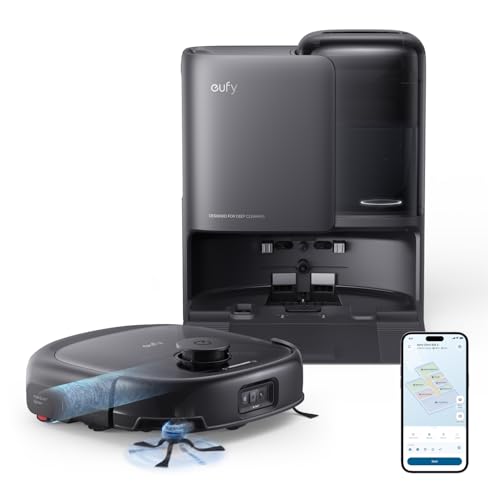
【𝐀𝐥𝐰𝐚𝐲𝐬-𝐂𝐥𝐞𝐚𝐧 𝐌𝐨𝐩𝐩𝐢𝐧𝐠 𝐰𝐢𝐭𝐡 𝐇𝐲𝐝𝐫𝐨𝐉𝐞𝐭 𝐒𝐲𝐬𝐭𝐞𝐦】Refreshes the roller mop 2 times per second with clean water, ensuring every pass is spotless and preventing cross-contamination. Removes tough stains like coffee and sauce. True deep-cleaning for whole-home hygiene.
Frequently Asked Questions
Does Valetudo Require Internet Connectivity to Function After Installation?
No, I’ll tell you that Valetudo doesn’t require internet connectivity to function after installation. You’ve got complete internet independence—the firmware handles all operations locally on your network, so your vacuum works perfectly without any cloud dependency or external connectivity.
Can I Update Valetudo When the Vendor Releases New Firmware Versions?
Yes, you can update valetudo, though it’s different from vendor firmware updates. I’ll help you understand: dustbuilder creates new rooted images when vendors release firmware, then you manually install them via SSH—keeping your vacuum’s independence intact.
What Specific Tools and Technical Skills Are Needed to Root My Robot?
You’ll need a 3.3v USB UART adapter and a Dreame Breakout PCB. I’d recommend basic Linux command-line familiarity and soldering comfort. The rooting tools aren’t complex, but patience and attention to detail matter most for successful installation.
Will Installing Valetudo Void My Manufacturer’s Warranty Permanently?
You’re fundamentally painting over the manufacturer’s canvas—once you root your vacuum, you’ve voided the warranty permanently. I’d say installation risks are real, though minimal disassembly often keeps seals intact, mitigating some warranty implications.
How Do I Integrate Valetudo With My Existing Home Automation System?
I’ll integrate your Valetudo vacuum into your home automation by exposing its local API to platforms like Home Assistant or Node-RED. You’ll enjoy seamless device compatibility, responsive controls, and enhanced user experience without cloud dependency or latency issues.


