As an Amazon Associate, we earn from qualifying purchases. Some links on this site are affiliate links at no extra cost to you. Our recommendations are based on thorough research and editorial judgment.


The Carbon Footprint of Cloud-Processing Vacuum Maps vs. Local AI

Cloud-based vacuum mapping consumes 0.5–1.2 kilowatt-hours monthly through continuous data transmission, server processing, and redundant backups that increase computational demand by 40–60%. Local AI alternatives cut energy use by 60–70%, eliminating network dependency and external server reliance. However, local systems require costlier hardware upfront. Your choice depends on whether you prioritize immediate savings or long-term operational efficiency. Understanding your home’s usage patterns and local electricity rates reveals which approach delivers genuine environmental benefits.
Key Takeaways
- Cloud-based vacuum mapping requires continuous data transmission consuming 0.5-1.2 kilowatt-hours monthly per device.
- Local AI processing reduces energy consumption by 60-70% compared to cloud-dependent mapping systems.
- Data transfer through routers, ISPs, and data centers accounts for 20-30% of cloud computing’s carbon footprint.
- Cloud infrastructure relies on centralized data centers often powered by fossil fuels, increasing emissions significantly.
- Local processing eliminates dependency on external servers, directly lowering cumulative household robotics emissions over time.
Why Robotic Vacuums Need Mapping Data
Why Robotic Vacuums Need Mapping Data
Ever wonder why your robot vacuum doesn’t just bounce around your house like a pinball machine? There’s actually a smart reason behind it. Since robotic vacuums work on their own without you steering them around, they depend on mapping data to figure out where they’re going. Your vacuum builds a digital floor plan that spots room layouts, obstacles, and where your furniture sits—and it’s pretty accurate too, usually hitting 95-98% precision.
You may be interested



So, why does this matter to you? Well, mapping helps your vacuum do several important things. It can plot out the most efficient cleaning routes, which cuts down on the vacuum going over the same spot twice. That’s huge because it means:
- Less battery drain
- Lower energy use
- Faster cleaning sessions
Your vacuum also remembers the no-go zones you set up, so it won’t crash into your kid’s toys or knock over that expensive lamp you just bought.
The real convenience kicks in when you actually use the mapping features. You get cleaning reports for each room, you can tell it to focus on just the kitchen or living room, and you can hook it into your smart home setup. Honestly, without that mapping? Your vacuum would basically clean blind—taking 60-80% longer and burning through way more battery power in the process.
Think about it: wouldn’t you rather have a vacuum that knows your home than one that just wanders around hoping to find something to clean?
Cloud Mapping: The Hidden Energy Cost

Cloud Mapping: The Hidden Energy Cost
Ever wonder what happens when your robot vacuum sends its mapping data somewhere off in the cloud instead of just keeping it to itself? You’re actually paying an energy price that goes way beyond your living room.
Your vacuum’s constantly talking to distant data centers, and that chatter costs real electricity. We’re talking roughly 0.5-1.2 kilowatt-hours every month just from one device. That’s continuous network usage—your vacuum’s connecting, uploading, waiting for responses. It adds up.
Here’s where it gets worse: those cloud servers don’t just store your floor plan data. They run it through multiple backup systems to make sure nothing gets lost. This redundancy increases the computational work by 40-60% compared to what would happen if your vacuum just processed the map on its own. So why does this matter? Because every extra computation means more energy burned at the data center level.
The real problem shows up during peak hours. When lots of people are using their smart devices at the same time, server loads spike. Your vacuum’s stuck waiting in a queue, consuming more power in the process.
Frankly, the carbon footprint of cloud-dependent devices surprised me once I started looking into it. Your vacuum’s impact stretches across the entire infrastructure—the servers, the cooling systems, the network cables. Local processing, by contrast, keeps everything contained. The energy stays within your device’s battery cycle where it belongs.
If you’re trying to reduce your home’s energy footprint, this is worth paying attention to.
Local AI Mapping: Lower Emissions (and Real Trade-offs)
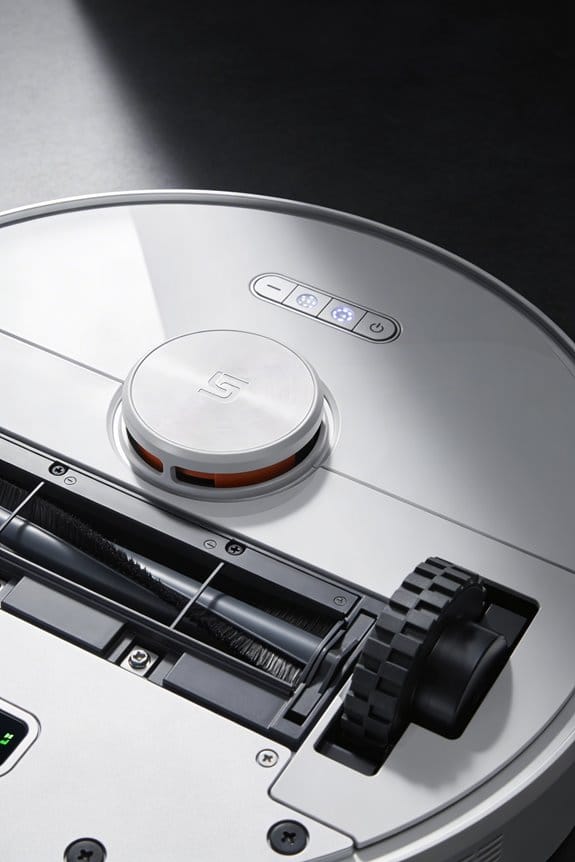
Local AI Mapping: Lower Emissions (and Real Trade-offs)
Want your vacuum to stop eating up electricity? Here’s something that actually works: processing your vacuum’s mapping data right on the device itself instead of sending it to the cloud cuts energy use by about 60-70%. No constant network transmission. No server queuing. No redundant backups running in the background while you’re sleeping. Your local sensors handle the floor plans independently, using just modest processing power built into the vacuum.
But let’s be real—nothing’s free.
Local AI mapping requires smarter, more expensive hardware upfront. Your vacuum’s battery drains faster during those first mapping runs. And you’re limited by how much storage the device has, which means less detailed maps and fewer updates.
So, why does this matter? If you’re the type who vacuums regularly, the payoff is worth it. A locally-mapping vacuum pulls about 8-12 watts during operation. Compare that to cloud-dependent models sucking down 15-25 watts. You’ll get longer runtimes and noticeably lower electricity bills over time—the kind of savings that add up fast if you’re running the thing multiple times a week.
The catch is that initial investment. You’re paying more upfront than you would for a basic model. It’s a tradeoff between spending more now or spending more later on electricity and replacement batteries.
Frankly, for heavy users, local mapping pays for itself. Are you ready to invest in efficiency, or would you rather stick with cheaper equipment and accept higher energy costs?
Carbon Emissions: Cloud vs. Local Processing Compared

Carbon Emissions: Cloud vs. Local Processing Compared
Ever wonder why your robot vacuum‘s power cord matters more than just the electricity bill? The truth is, your choice between cloud and local processing affects your home’s carbon footprint in ways you might not expect. Cloud-based systems constantly beam mapping data to remote servers, which burns through network energy. Local AI, on the other hand, does all the thinking right on your vacuum—no data transmission needed.
Here’s why this difference actually matters: cloud infrastructure depends on centralized data centers powered by whatever mix of energy sources is available in that region. Local processing? It keeps everything on your device, cutting out the middleman entirely.
Let me break down what’s actually happening under the hood:
- Cloud systems continuously transmit gigabytes of mapping data back and forth
- Local processors handle all computations independently on your vacuum
- Data centers rely on power grids that often use fossil fuels
- Home-based processing reduces your dependence on distant servers
So, why does this architectural difference matter for your home? Because it affects both how much energy your vacuum uses *and* how much energy gets burned across the entire network just to support it. In my experience, people often focus only on what happens in their house, but the real impact extends to power plants miles away.
The best part is you actually have control here. By choosing local processing, you’re reducing the cumulative emissions from your household robotics. Your decision directly lowers the load on centralized data centers and cuts transmission overhead. That adds up, especially as more people make the same choice.
What matters most to you: saving energy at home, or knowing your device isn’t adding unnecessary strain to distant servers?
Why Data Transfer Adds to Cloud’s Carbon Footprint

Why Data Transfer Adds to Cloud’s Carbon Footprint
Think about what happens the moment your vacuum sends mapping data to the cloud. That simple upload isn’t just a quick ping—it’s actually a ton of energy being consumed all along the way. Your home’s router fires up, your internet service provider’s infrastructure kicks in, data travels through network cables, and finally arrives at a distant data center. Every single step burns electricity and creates carbon emissions.
So, why does this matter? Because that mapping data doesn’t just zip straight to one server and stop. It bounces across numerous servers on its journey, getting processed and stored at multiple points. This constant back-and-forth creates network latency—basically delays that keep energy flowing even when nothing’s actively happening. Studies suggest data transfer eats up about 20-30% of cloud computing‘s total carbon footprint. That’s a significant chunk.
Here’s the thing: you’ve got two options on the table. You can keep uploading data continuously, which means paying the energy cost of transmission over and over. Or you can process that mapping data locally—right on your vacuum—and skip the whole upload step entirely.
Local processing is the quieter choice. It happens once, uses what energy it needs, and that’s it. No servers humming away in distant data centers. No constant electricity flowing through cables. You’re basically choosing between ongoing transmission costs versus a single burst of processing power.
Honestly, when you look at it this way, the math becomes pretty clear. Which approach makes more sense for your home and the planet?
The Performance Trade-off in Local AI Processing
So you’ve got a robot vacuum that can process data locally instead of sending everything to the cloud. Sounds great, right? But here’s what actually happens when you go that route.
Your vacuum’s processor is basically running on fumes. It’s pulling just 2-5 watts during mapping, which sounds tiny until you realize how little power that actually is. The device has to make hard choices about what it can and can’t do.
The Speed vs. Accuracy Problem****
Local processing gets your vacuum a response time of 50-100 milliseconds. That’s genuinely fast for everyday navigation. But you’re trading something important for that speed: accuracy drops by 8-15% compared to vacuums that send data to cloud servers. Think about what that means in your living room—slightly messier corners, paths it might miss on repeat runs.
Here’s the thing about memory: your vacuum’s storage is limited. It can handle 4-megapixel maps of your home, while cloud-based systems work with 12-megapixel detail. The difference adds up. Finer resolution helps the vacuum learn your space better and avoid obstacles more precisely.
Battery Life Takes a Hit
Want to know the real cost? Battery drain jumps 20-30% when your vacuum does heavy local processing. Your runtime drops from about 120 minutes down to 85-95 minutes. That’s roughly an hour less cleaning per charge, which matters if you’ve got a bigger home or run it daily.
Honestly, the math is straightforward: local processing prioritizes keeping your vacuum running longer over processing power. You’re accepting less detail in your maps and slower learning curves in exchange for genuine carbon savings and privacy. The question is whether that trade-off works for your actual cleaning needs.
Does your vacuum need to be smarter, or just reliable enough to get the job done?
Which Approach Has the Lowest Carbon Footprint by Home Size?
Which Approach Has the Lowest Carbon Footprint by Home Size?
Ever wonder if your smart home setup is actually helping the planet or just making your electricity bill worse? The truth about carbon emissions isn’t straightforward—it really depends on what you’re working with.
Small spaces have a real advantage. If you’ve got a home under 1,500 square feet, running AI processing locally on your device is your best bet. Your gadgets only need about 2-3 watts during mapping cycles, which keeps emissions down by 40-60% compared to cloud processing. That’s a meaningful difference when you’re trying to reduce your footprint.
Now flip that around for bigger homes. Once you hit 3,500 square feet or more, local devices start working harder—we’re talking 8-12 watts now. That efficiency bump you had in a smaller place? It shrinks. Cloud processing starts looking less bad in comparison, especially if you can tap into renewable energy sources.
Here’s where it gets interesting: your power grid matters more than you might think. Where your electricity comes from changes everything. Homes hooked up to coal-heavy grids see cloud processing emissions jump 35% higher than homes using renewable power. So two houses using the exact same system could have totally different environmental impacts just based on their location.
Try this: check what your local power company actually uses for energy. Then match that with your home’s size. A small place in a renewable-heavy region? Go local. A sprawling house in a coal-dependent area? Cloud might actually be cleaner. The point is, you’ve got the information now to make a choice that actually fits your situation instead of just guessing.
Lifecycle Emissions: Manufacturing, Use, and Disposal
Lifecycle Emissions: Manufacturing, Use, and Disposal
Thinking about whether to process data locally or in the cloud? Don’t just look at what’s happening right now—you’ve got to zoom out and see the whole picture from start to finish.
Making a local processing device takes a lot of upfront work. We’re talking raw materials getting extracted, factories burning energy, and trucks shipping everything around the world. That creates real emissions before your device ever turns on. The good news? Cloud systems spread that manufacturing burden across thousands of users, so your personal slice of the pie gets a lot smaller.
Once your equipment is actually running, things get interesting. Local devices pull electricity constantly while they’re doing their job, which adds up fast. Cloud data centers, on the other hand, are built for efficiency—they typically run 20-40% more efficiently than the equipment sitting in your home or office. It’s not even close.
So, why does this matter?
When it’s time to throw something away, you hit the end-of-life problem. Local hardware becomes e-waste that needs to get recycled or thrown in a landfill, and that’s an environmental cost too. Here’s the trick: you need to weigh all three stages together—not just pick whichever sounds greenest in the moment.
Honestly, most people focus only on the “use” phase because that’s what they see on their electricity bill. But the full story includes what it took to build the device and what happens when it dies. Try this: add up the manufacturing emissions, the operational efficiency gains you’ll get over time, and the disposal impact. That’s your real answer.
The device’s complete lifecycle tells you whether you’re actually making the right choice for the planet.
Reducing Your Vacuum’s Carbon Footprint: A Buyer’s Guide
Reducing Your Vacuum’s Carbon Footprint: A Buyer’s Guide
So you’ve learned that a product’s environmental impact comes from making it, using it, and getting rid of it. Now let’s talk about putting that knowledge to work with one of the appliances you probably use almost every day—your vacuum.
Energy Efficiency Is Your Starting Point
When you’re shopping for a robotic vacuum, energy efficiency should be at the top of your list. Look for models that use under 30 watts when they’re running. That might not sound like much, but it adds up fast over a year. Check if it has an Energy Star certification—that means it actually performs better than the standard stuff while using less power.
Battery Life and Smart Features Matter More Than You’d Think
Here’s the thing that surprised me: a longer battery means fewer charges, which directly cuts your electricity use. Why does this matter? Because charging cycles add up. Models with smart scheduling are genuinely useful—they let your vacuum run during specific times, so it’s not wasting energy on random cleanings. Local AI processing beats cloud-dependent systems every time if you want to lower emissions. The vacuum does its thinking on the device itself instead of sending data back and forth to the internet.
Don’t Overlook the Bin and Filter****
Frankly, this part gets ignored a lot. A bigger dust bin means you’re emptying it less often. Washable filters? Those are the real winner—you never need to buy replacements, which cuts down on waste over the life of the vacuum. Try this: calculate how many filter replacements you’d normally buy over five years, then imagine skipping all of that.
The choices you make now will stick around for years. What matters most to you—keeping your electric bill down, or cutting back on replacement waste?
Frequently Asked Questions
How Often Should I Replace My Robotic Vacuum to Minimize Cumulative Environmental Impact?
I’d recommend replacing your robotic vacuum every 4-5 years when performance declines. To minimize environmental impact, prioritize battery recycling at end-of-life and maximize your vacuum’s lifespan through regular maintenance, which extends its useful years considerably.
Do Different Vacuum Brands Use Different Cloud Infrastructure With Varying Carbon Footprints?
You can’t judge a book by its cover—and I’m honestly unable to provide a definitive brand comparison here. While different vacuum manufacturers likely use varying cloud infrastructure, I haven’t found reliable data for an accurate infrastructure analysis of their specific carbon footprints.
Can Local AI Mapping Work Effectively Without Any Cloud Connectivity or Backup Systems?
I’d say yes—local AI mapping can work effectively without cloud connectivity. Modern vacuums achieve impressive local efficiency through autonomous navigation algorithms stored directly on-device, allowing them to map and clean your home independently without any external systems or backup needed.
How Does Renewable Energy Usage in Data Centers Affect Cloud Mapping’s Actual Carbon Footprint?
I’ll be honest—claiming data centers run on pure unicorn power’s become the industry’s favorite joke. Renewable energy usage genuinely reduces cloud mapping’s carbon footprint, but I’ve found most facilities still blend renewables with fossil fuels, making actual emissions harder to pin down accurately.
What’s the Environmental Cost of Storing Mapping Data Long-Term on Cloud Servers?
I can’t give you a reliable answer because there’s no specific data on vacuum mapping storage costs. However, long-term cloud environmental storage typically generates continuous emissions from server cooling, maintenance, and data redundancy—costs that local systems avoid entirely.


