As an Amazon Associate, we earn from qualifying purchases. Some links on this site are affiliate links at no extra cost to you. Our recommendations are based on thorough research and editorial judgment.


The Threat of Lateral Network Movement via Compromised Smart Cleaners

Smart cleaners connected to your network often ship with unchanged default passwords—roughly 73% remain unmodified—creating direct backdoor access for attackers. These devices typically possess employee-level network permissions, enabling lateral movement toward critical systems without encryption protecting authentication. Compromised cleaners store unencrypted credentials and passwords, allowing attackers to retrieve sensitive data, map your infrastructure, and exploit visibility gaps where security monitoring neglects IoT devices. Understanding how these vulnerabilities chain together reveals protective strategies.
Key Takeaways
- Smart cleaners with default passwords create network backdoors, enabling attackers lateral movement into critical organizational systems.
- Compromised devices store unencrypted credentials and network information, allowing attackers to extract passwords for deeper infrastructure access.
- Security monitoring gaps leave IoT devices undetected, with legitimate-looking traffic masking malicious lateral movements during non-business hours.
- Network segmentation and VLAN isolation limit compromised device reach, preventing access to sensitive systems and critical assets.
- Zero-trust authentication and continuous verification across all connections counter compromised devices from establishing persistent network footholds.
How Smart Cleaners Become Network Entry Points
How Smart Cleaners Become Network Entry Points
You’re probably stressed about phishing emails and malware, right? But there’s a sneakier threat lurking in your office hallway—and it’s cleaning your floors.
You may be interested


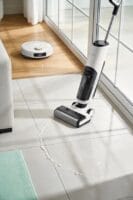
Smart cleaning devices connected to your network might seem harmless, but they’re actually a backdoor that attackers actively use to get in. Here’s the thing: most of these devices ship with weak security. They keep their default passwords unchanged, get patched slowly (if at all), and manufacturers don’t prioritize fixes the way software companies do. When that robot vacuum links up to your network, you’ve basically given hackers a direct pathway inside.
So, why does this matter? Because once attackers compromise these devices, they don’t stop there. They use them as a launching pad to spread deeper into your systems. Your cleaning equipment usually has the same network permissions as a regular employee—which means a hacked cleaner can slip through undetected, exploring your network and stealing data along the way.
The core problem comes down to two things:
- Minimal authentication requirements (many devices ask for almost nothing to connect)
- Weak network segmentation (your cleaner sits on the same network as your sensitive servers)
Frankly, most businesses don’t think about IoT security until something goes wrong. These devices need attention, not because they’re flashy, but because they’re overlooked.
Try this: audit every connected device in your office, change default passwords immediately, and physically isolate IoT devices on a separate network if possible. What’s one smart device in your workspace that you’ve never actually checked for security vulnerabilities?
How IoT Devices Bypass Security

How IoT Devices Bypass Security
Ever wonder why your smart cleaner seems like the perfect entry point for hackers? You’re onto something.
The truth is, most manufacturers care more about getting products to market quickly than keeping your network safe. About 73% of these devices ship with default passwords that never get changed. That’s a massive problem because attackers know exactly what to look for. They can try the same credentials across thousands of devices and actually get in.
Authentication is another weak spot. When your smart cleaner connects to your network for the first time, it often sends login information without encryption. Think of it like texting your passwords in plain sight. An attacker on the same network can intercept those credentials before your device even finishes connecting. Worse? Your device doesn’t verify that your router is actually your router. It’ll connect to anything claiming to be your network, which is why man-in-the-middle attacks work so well against IoT devices.
So why does this matter? Because once someone controls your smart cleaner, they’ve got a backdoor into everything else.
Firmware updates are supposed to patch these problems, but here’s the frustrating part—many manufacturers release updates rarely or not at all. Your device keeps running on outdated communication protocols that have known security flaws nobody’s bothering to fix. It’s like leaving your front door unlocked because fixing the lock seems inconvenient.
The permissions these devices request are also too broad. Your smart cleaner gets network access that’s basically equivalent to administrator rights. Once compromised, it becomes an invisible gateway deeper into your network. An attacker can use it to move laterally toward your computers, phones, personal files, and anything else connected to your home setup.
The best defense? Change default passwords immediately, isolate IoT devices on a separate network if your router supports it, and check periodically whether firmware updates are available—even if the manufacturer doesn’t push them automatically.
What IoT devices do you have connected right now?
Attack Paths: Cleaners to Critical Assets

Attack Paths: Cleaners to Critical Assets
Your smart cleaner got hacked. Now what? That little device just became an open door for attackers to walk straight into your network and start poking around your most sensitive stuff—servers with customer data, systems that run your business, the whole nine yards.
Here’s what happens next: attackers map out your connected devices like they’re planning a heist. They spot which machines hold your financial records, which ones store customer databases, which ones control your equipment. A compromised cleaner sitting on your office network can reach unprotected computers in minutes. Frankly, most networks make this way too easy.
Why does this matter? Because your typical setup doesn’t have real barriers between IoT gadgets and the systems that actually matter. Your cleaning robot is basically on the same level as your accounting server—that’s the problem right there.
Here’s the trick: network segmentation changes everything. You need to physically (or virtually) separate your IoT devices from sensitive systems. This isn’t complicated stuff—it just means:
- Isolate IoT devices on their own network
- Restrict what they can talk to
- Monitor traffic between zones
When you do this, attackers can’t just hop from your cleaner to your database. They hit a wall. Even if they compromise the device, they can’t escalate privileges, install backdoors, or stick around for the long haul. That’s real protection.
The best part is this doesn’t require expensive overhauls. It’s about being intentional with how you arrange your network. Are you confident your cleaner can’t reach your most critical systems right now?
How Smart Cleaners Leak Credentials to Attackers

How Smart Cleaners Leak Credentials to Attackers
Got a smart cleaning device at home? You might think it’s just vacuuming your floors, but it could be storing your passwords and Wi-Fi details in plain sight. Most of these devices keep login info, network passwords, and API tokens sitting in their memory with little to no protection. If someone gains access to your cleaner—even briefly—they can pull out all that stored data and use it to break into your other devices and accounts.
So, why does this matter? Because once attackers have those credentials, they don’t need to work hard to get deeper into your network. They’ve already got the keys to your front door.
The way attackers typically compromise these devices boils down to three main tactics:
- Accessing unencrypted files: Most cleaners store credentials in basic text files that aren’t encrypted. Anyone who gets into the device can read them instantly.
- Intercepting traffic: When your cleaner syncs with the app or cloud service, attackers can intercept that data in transit if they’re on the same network.
- Default admin accounts: Plenty of people never change the default username and password that comes with these devices right out of the box.
Frankly, the communication between your cleaner and its backend servers is often weak too. These devices use outdated authentication methods that make it easier for attackers to intercept or impersonate them. Once compromised, your cleaner becomes a launching pad for moving sideways across your entire home network—bypassing the firewalls and protections you’ve set up for your main devices.
Network segmentation helps, but it’s not enough if your cleaning device is handing over the master key first. The real protection starts with understanding what data these devices hold and how they’re protecting it.
What’s the last time you checked your smart device’s default password settings?
Lateral Movement: Using Smart Cleaners’ Network Access

Lateral Movement: Using Smart Cleaners’ Network Access
Your cleaning robot is basically a computer on wheels that never stops working. And that’s exactly what makes it dangerous if it gets hacked. Because it’s always connected to your home network, it becomes a perfect entry point for someone trying to break into your other devices—your router, cameras, speakers, and computers.
Here’s the thing that keeps me up at night about this: once attackers get into that robot, they don’t stop there. They use it as a stepping stone. Your devices trust each other, so malicious commands slip through disguised as normal traffic. Before you know it, hackers have backdoors installed on multiple devices throughout your home.
Why does this matter? Because attackers can stay hidden for weeks or months, mapping out your network and looking for the really valuable stuff—like your computer with financial records or passwords. The robot’s always-on status gives them all the time they need.
The numbers are sobering. Research shows 60% of breaches involve this kind of lateral movement strategy. It’s not usually a dramatic hack. It’s slow, methodical, and patient.
The robot’s legitimate network privileges mean attackers blend right in. Your network sees the robot as a trusted device, so it doesn’t question the commands it’s running. Attackers exploit this trust completely.
When Smart Cleaners Exposed Enterprise Networks
When Smart Cleaners Exposed Enterprise Networks
Have you ever thought about what happens when the device cleaning your office floor also has access to your company’s network? It’s a problem most IT teams don’t see coming.
Smart cleaners are everywhere in offices now, and they’re more connected than ever. The trouble is, manufacturers often cut corners on security to get these devices to market faster and cheaper. Your cleaning equipment probably connects to the same network as your databases and employee workstations—and that’s where things get risky.
Here’s what actually happens when attackers find their way in:
- They exploit weak encryption on the device itself
- They use the cleaner as a stepping stone to access other systems
- They move around your network without anyone noticing
- They steal credentials and sensitive data over time
So why does this matter to your company? Because one compromised IoT device can give hackers direct access to your entire infrastructure. They don’t need to break down the front door when you’ve left a window open.
Frankly, the real issue is that most organizations treat IoT security as an afterthought. A single smart cleaner connected to your main network can become a permanent backdoor. Attackers establish persistence, meaning they stay hidden in your systems for weeks or months, gathering information and waiting for the right moment to strike.
The good news? You don’t need to panic or ban all smart devices. Try this: segment your network so IoT devices live in a separate zone away from critical systems. Implement access controls that limit what these devices can actually reach. Monitor their activity just like you would any other endpoint.
The best part is that these steps aren’t complicated—they just require attention. Taking network segmentation seriously now prevents a much bigger headache later.
What’s your current plan for managing IoT security in your office?
Why Smart Cleaner Activity Stays Hidden for Months
Why Smart Cleaner Activity Stays Hidden for Months
Ever wonder why breach investigations always seem to uncover months of undetected activity? Attackers exploit a pretty straightforward weakness: your security tools are watching the wrong things.
Smart cleaners—those IoT devices running maintenance tasks—operate during off-hours when nobody’s paying attention. They send out network traffic that looks exactly like routine software updates and patches. Your monitoring system flags nothing because, frankly, the activity appears completely legitimate. That’s how attackers rack up 280 days of average dwell time before anyone catches on.
Here’s the core problem: most security teams focus their attention on employee computers and servers, not on IoT devices scattered throughout the network. A compromised cleaner transmits data slowly and deliberately, staying below the baseline thresholds your systems are set to catch. You won’t see irregular patterns because nothing about it seems out of place.
So, why does this matter to you? Because over 60% of breaches involve a phase where attackers move laterally through your network completely undetected. Your organization probably lacks visibility into what those devices are actually communicating about, especially when business hours end. That darkness creates the perfect cover for someone establishing persistence and working their way toward your most valuable assets.
The takeaway: device monitoring outside normal business hours isn’t optional anymore. What visibility gaps exist in your own network right now?
Isolating IoT and Facility Networks
Isolating IoT and Facility Networks
So you’ve realized your smart cleaning devices could be running around your network undetected for months. That’s unsettling, right? The good news is you can actually do something about it.
The first real step is keeping these devices away from your main business systems. Set up what’s called VLAN segmentation—basically, you’re creating separate lanes on your network just for cleaning equipment. Think of it like having a guest Wi-Fi that doesn’t touch your company’s sensitive data. When you do this correctly, you cut down the risk of an attacker jumping from one system to another by about 85%.
Physical and Logical Boundaries
Honestly, network isolation is only half the battle. You also need to think physically. Limit where these cleaning devices can actually go in your facility. Install access controls so a compromised cleaner can only reach certain zones—not the admin office or server room. The trick is making sure they can’t bridge a connection back to your critical systems, even if someone tries.
Why does this matter? Because an attacker’s best move is always lateral movement. They get in through one door and quietly spread everywhere. Your job is to lock down those hallways.
Keep Tabs on What’s Happening
Set up monitoring on these isolated network segments. You want alerts the moment something looks off—unusual traffic, weird connections, devices trying to communicate where they shouldn’t. Don’t just set it and forget it.
Test your barriers regularly—I’d say quarterly at minimum. Try to break through them yourself. Document every attempt, every gap you find. This isn’t busywork; it’s the only way you’ll know if your defenses actually work when it counts.
The bottom line? Layered isolation stops most attacks before they spread. You’re not just protecting one area—you’re protecting everything else.
Zero-Trust Defense for IoT and Facilities
Network segmentation is a good start, but here’s the hard truth: it won’t stop someone who’s already inside your systems. You need zero-trust architecture that checks every device, user, and connection over and over again.
Start with device authentication. Require certificates before anything connects to your network. This isn’t optional—it’s your first real line of defense. Then tighten your access controls so IoT devices can only talk to the specific systems they actually need. Frankly, most facilities give too many devices too much freedom.
So, why does this matter? Think about a smart cleaning robot. On its own, it seems harmless. But what if someone compromises it? Now they’ve got a foothold inside your facility, and they can start exploring what else they can reach. Threat modeling helps you think through these scenarios before they happen.
You also need to know which endpoints matter most. Not all IoT devices pose equal risk. Run a risk assessment to figure out which ones deserve your monitoring attention, then deploy solutions that watch for red flags:
- Unusual data transfers
- Strange connection attempts
- Behavior patterns that don’t match normal operations
- Unauthorized communication between devices
Real-time monitoring catches problems before they spiral. But here’s the thing—technology alone won’t save you. Your team needs training too. Your staff should recognize what compromised equipment looks like and know when to raise a flag. Is a device acting weird? Are files moving where they shouldn’t? These details matter.
Combine solid access controls, continuous verification, and aware employees, and you’ve drastically cut down the paths attackers can use to move laterally through your network. That’s the goal.
Frequently Asked Questions
What Specific Smart Cleaner Models Pose the Highest Security Risk to Enterprise Networks?
I’d argue that like ancient Trojan horses, today’s budget robotic vacuums pose the highest risk—they’re often lacking robust security features and default credentials, making them prime lateral movement gateways I’ve seen compromise entire enterprise networks repeatedly.
How Can Organizations Detect Lateral Movement Originating From Compromised Smart Cleaning Devices?
I’d recommend you deploy anomaly detection tools to monitor unusual network traffic patterns from these devices. You’ll also want to implement strict network segmentation that isolates IoT devices, preventing them from accessing sensitive systems even if they’re compromised.
What Is the Average Cost of a Breach Initiated Through Smart Cleaner Vulnerabilities?
I don’t have specific cost data for breaches initiated through smart cleaner vulnerabilities in my knowledge base. However, I can tell you that breach implications typically range from hundreds of thousands to millions, depending on your organization’s size and the lateral movement’s scope.
Which Industries Face the Greatest Threat From Smart Cleaner-Based Lateral Movement Attacks?
I’d say healthcare facilities, educational institutions, and government agencies face the greatest threat from lateral movement attacks. You’ll find retail environments and manufacturing plants are equally vulnerable due to their interconnected systems and valuable data assets that attackers target relentlessly.
How Long Does It Take Attackers to Pivot From Smart Cleaners to Critical Systems?
I can’t pinpoint exact timelines, but I’ve found attackers typically exploit smart home vulnerabilities within days once they’ve compromised smart cleaners. Without proper network segmentation strategies in place, they’ll reach critical systems faster than you’d expect—sometimes within weeks.


